No products in the basket.
September 23, 2026
Card payments in WooCommerce: which plugin each Greek bank needs
Eurobank, Alpha Bank, NBG, Piraeus Bank, Viva and Revolut: which payment system each one uses, the free plugins available, and the paid options from Web Expert and OBS.
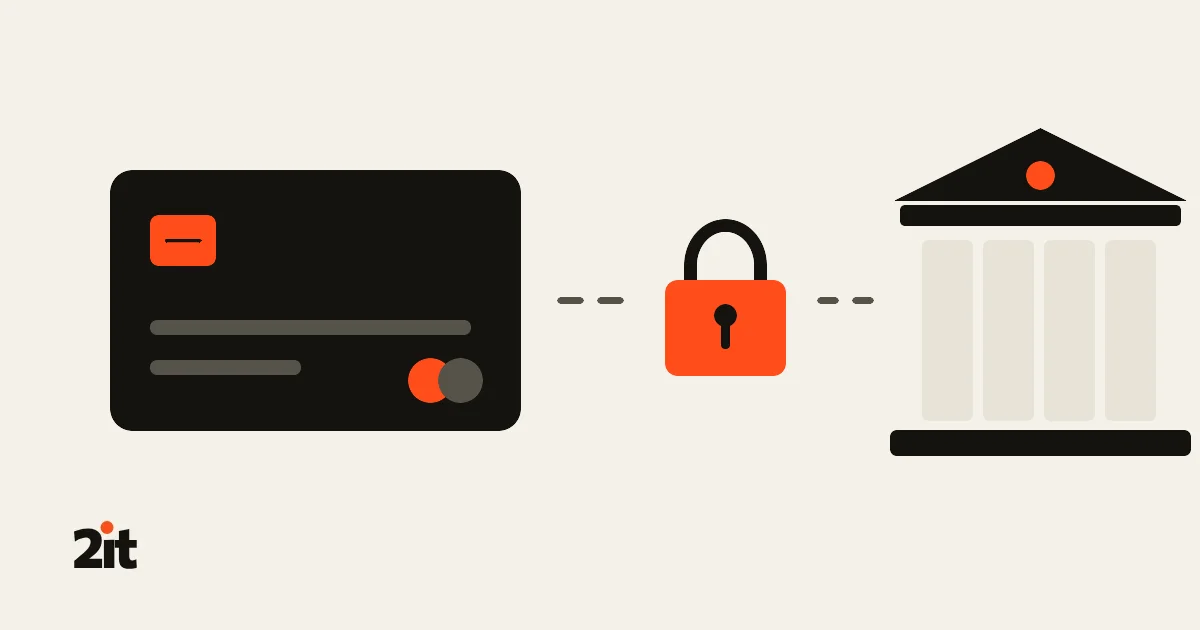
To accept cards, an e-shop signs an e-commerce agreement with a bank. But WooCommerce doesn’t talk to the bank: it talks to the payment system the bank uses. And each Greek bank uses a different one. Install a plugin for the wrong system and payments simply won’t go through, however correct your credentials are.
Below you’ll find which system Eurobank, Alpha Bank, NBG (National Bank of Greece) and Piraeus Bank use, what Viva and Revolut offer, the free plugins for each, and the paid versions from Web Expert and OBS Technologies.
At a glance
| Bank or provider | Payment system | Free plugin |
|---|---|---|
| Eurobank | Cardlink (settled by Worldline) | Cardlink Checkout, Papaki Eurobank |
| Alpha Bank, older agreements | Cardlink (settled by Nexi) | Cardlink Checkout, Papaki nexi Alpha Bank |
| Alpha Bank, new agreements | Nexi XPay | Nexi XPay (official, by Nexi) |
| NBG, older agreements | Mastercard Gateway | Mastercard Gateway module (open source) |
| NBG, new agreements | Global Payments (NBG Pay) | No dedicated free plugin found |
| Piraeus Bank | epay Paycenter | Papaki Piraeus Bank, WebHosting4U ePay Paycenter |
| Viva | Viva.com Smart Checkout | Viva.com Smart Checkout (official) |
| Revolut | Revolut Business | Revolut Gateway for WooCommerce (official) |
How to tell which system you have: look at the email or document with the credentials your bank sent. The system name or the test environment address gives it away (at NBG, for example, the new system lives at nbgpay.globalpayments.com). If you’re not sure, ask the bank before you buy anything.

Eurobank and Alpha Bank: Cardlink
Cardlink runs the payment page for Eurobank and for Alpha Bank’s older agreements. Behind it, the money is settled by Worldline for Eurobank and by Nexi for Alpha. That’s why one plugin covers both banks: you just pick the settling company in the settings (Worldline, Nexi or Cardlink).
- Cardlink Checkout Payment Gateway (free, official): from Cardlink’s developer site (free sign-up needed) or from Cardlink’s GitHub repository. It handles instalments and IRIS, works with the new WooCommerce checkout, and can refund or void from the order page. It doesn’t do recurring charges.
- Papaki’s Eurobank WooCommerce Payment Gateway and Payment Gateway – nexi Alpha Bank for WooCommerce (free, on wordpress.org): older, widely used plugins. At the time of writing, WordPress.org notes they haven’t been tested with the last three major WordPress releases. For a new e-shop we’d choose Cardlink’s official plugin.
Our own plugin: Cardlink for WooCommerce (coming soon).
Alpha Bank with Nexi XPay
Alpha Bank has moved its card payments to Nexi. New agreements now connect through Nexi XPay, while older ones continue through Cardlink. For XPay there’s an official free plugin from Nexi itself:
- Nexi XPay (free, on wordpress.org, by Nexi Payments): Greek language, instalments for the Greek market, and IRIS for Greek merchants. It’s one of the best-maintained plugins on this list.
Our own plugin: Nexi XPay for WooCommerce (Alpha Bank) (coming soon).
NBG: Mastercard Gateway or Global Payments
At NBG it matters when you signed. Older agreements run on the Mastercard Gateway. Newer ones go through Global Payments, with the NBG Pay payment page. The two systems aren’t compatible, and neither are their plugins.
- Mastercard Gateway: there’s a free, open-source WooCommerce module on GitHub from Fingent. It supports a hosted payment page, saved cards via tokens, and refunds. It’s a generic Mastercard Gateway module and doesn’t mention NBG, so confirm with the bank that it connects to their environment before going live.
- Global Payments (NBG Pay): we couldn’t find a free plugin built for NBG’s setup. Here the answer is the paid plugins below.
Our own plugin: NBG for WooCommerce (coming soon).
Piraeus Bank: epay Paycenter
Piraeus Bank accepts cards through epay Paycenter, now run together with Euronet. There are two free options:
- Piraeus Bank WooCommerce Payment Gateway by Papaki (free, 3,000+ active installs): instalments, pre-authorisation, 3D Secure 2, IRIS and the new checkout. It needs SOAP on the server. Its last update was several months ago.
- Secure Card Gateway for ePay Paycenter by WebHosting4U (free, recently updated): checks the signature of every bank response before marking an order paid, supports IRIS and Google Pay, and flags payments that started but were never confirmed. It still has few installs.
Without the big banks: Viva and Revolut
You don’t have to sign with one of the four big banks. Viva (viva.com) and Revolut Business give you their own merchant account and their own official, free plugin. You apply online and their fees are published on their sites, which often makes them the fastest route for a new e-shop.
- Viva.com | Smart Checkout for WooCommerce (free, by Viva.com, 6,000+ active installs): cards, Apple Pay, Google Pay and other payment methods on one page, an instalments setting, and the new checkout. It’s updated regularly. The old “Viva Wallet Smart Checkout” plugin has been permanently closed on WordPress.org: if you still run it, it no longer gets security fixes and should be replaced. Viva notes that your server’s firewall must allow its IP addresses, or orders won’t update.
- Revolut Gateway for WooCommerce (free, by Revolut, 7,000+ active installs): cards, Revolut Pay, Apple Pay and Google Pay, refunds from the order page, and subscriptions through WooCommerce Subscriptions. It needs a Revolut Business account (or Revolut Pro for freelancers) and an approved merchant account. Its WordPress.org reviews are mixed, with complaints about checkout problems, so test it well before opening it to customers.
Before you pick either, check they cover what your customers ask for, such as instalments and IRIS.
The paid options: Web Expert and OBS Technologies
Why pay for something that exists for free? Because when the bank changes something, you want someone who fixes it quickly and answers your call. Both companies are Greek and offer installation and support.
Web Expert (€99 one-off per site, with updates and support that don’t expire):
- Eurobank (Worldline)
- Alpha Bank via Cardlink (older agreements)
- Alpha Bank with Nexi XPay (new agreements)
- NBG with Global Payments
- Piraeus Bank (epay POS)
- Cardlink One
Most of them don’t refund from inside WooCommerce: you do refunds in the bank’s own panel.
OBS Technologies (€50–80 incl. VAT, with free installation and setup):
- Eurobank (Worldline)
- Alpha Bank (Nexi)
- NBG (Mastercard Gateway): OBS notes it is not for Global Payments
- Piraeus Bank (E-Pay)
Prices are those listed when this article was written. We have no partnership with either company.
Our own plugins
We also build WooCommerce plugins that cover these needs, and we use them on the stores we make. We list them here as one more option, next to the ones above. Each plugin is sold on its own, as a one-time purchase with one licence per site.


Before you choose: what to check
- Is it maintained? Check when it was last updated and which WordPress version it’s tested with. An unmaintained payment plugin is the worst place to leave a known, published security hole open.
- Payment on the bank’s page. Every option above sends the customer to the bank’s page, so card details never touch your server. Don’t accept a setup that asks for the card on your own site without a good reason.
- New checkout and HPOS. If your shop uses the new WooCommerce checkout or the new order storage (HPOS), make sure the plugin supports them.
- Instalments, IRIS, Apple Pay and Google Pay. Not every plugin supports all of them, and some must be enabled by the bank first. For instalments without a credit card, see our article on Klarna and tbi bank.
- Refunds. Can you refund from the order, or only from the bank’s panel?
- Firewall and Cloudflare. If your server or Cloudflare blocks the bank’s notification, the customer is charged but the order stays “pending”. Test in the bank’s test environment first.
If you’re setting up your shop now, read our guide to starting an e-shop in Greece, and see where else you can sell in our article on Skroutz, Shopflix, BestPrice and other channels.
Want us to connect your bank to your e-shop? We find out which system your bank gave you, set up and test the right plugin, and keep it updated.
Sources: Cardlink Developer · Nexi XPay on WordPress.org · Web Expert payment gateways · OBS Technologies · Viva.com on WordPress.org · Revolut on WordPress.org. Banks change systems and terms often: confirm with your own bank before installing.
New project or maintenance
Let's talk
Tell us what you need in two lines. We'll reply to set up a short intro call online — or in person, if needed.
21 2121 2065
info@2itwebstudio.gr
Phone Mon–Fri 09:00–17:00 (Athens time) · Meetings by appointment only — online or, when needed, in person.
Send us a message
Your details are only used to reply to you. Privacy policy